
Quillbot: AI Writing Assistant
QuillBotProductivity
4.5244.00 Reviews
- Version
- 4.11.0
- Installs
- 5.00M
- Age Rating
- Everyone
Screenshots
Our Review of Quillbot: AI Writing Assistant
 Analysis by Appyee
I use writing assistants when I am moving between ideas quickly: drafting a message, cleaning up a paragraph, checking a translation, or trying to make a rough note sound less awkward. Quillbot: AI Writing Assistant is built for that kind of work. It is a free productivity app from QuillBot that brings paraphrasing, grammar checking, AI chat, translation, and AI detection into one mobile workspace. After spending time with it, I see its biggest appeal in convenience rather than in replacing careful writing. It can help me get unstuck, but I still need to read every suggested change.
The app has a 4.5 average from around 22 thousand ratings and has passed 5 million installs, which gives it a substantial mobile audience. It is rated for Everyone, runs on Android 7.0 or later, and the current version is 4.11.0. Those details matter because this is an app I would expect to open casually, often on a phone rather than at a desk. The experience is most useful when I treat it as a flexible editing companion, not as an automatic author.
How QuillBot fits into real mobile writing
The first thing I noticed is how naturally the app suits short, interrupted tasks. On a phone, I rarely sit down intending to write a perfect article from beginning to end. I am more likely to have a half-formed email, a caption that sounds too blunt, a school paragraph that needs clearer wording, or a message written in a language I do not fully control. Quillbot: AI Writing Assistant is aimed at those moments, where a small improvement is more valuable than a complete writing lesson.
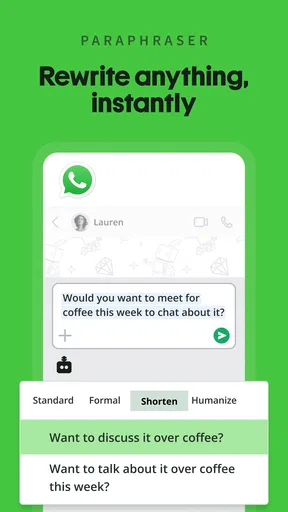
Its paraphrasing function is especially helpful when I know what I mean but dislike the way I have expressed it. I can start with a plain sentence and compare a revised version instead of staring at a blank screen. That is useful for changing tone, reducing repetition, or making a sentence easier to follow. The important trade-off is that a paraphrase can become smoother while also losing a small part of my intended meaning. I therefore use the result as a draft, then compare it with my original line by line.
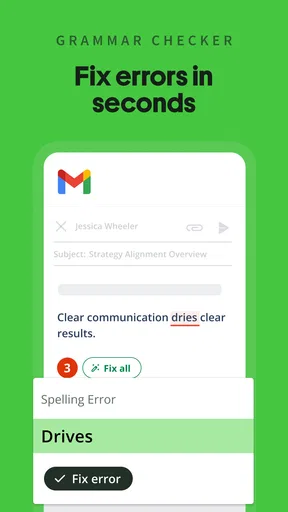
The grammar checker serves a different purpose. Paraphrasing changes expression, while grammar checking should help me preserve the message and correct errors. Keeping those jobs separate is a good habit. If I rewrite first and inspect grammar afterward, I am less likely to accept a polished sentence that still says something slightly different from what I intended.
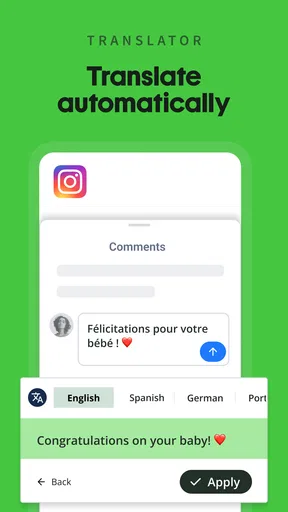
Translation adds another practical layer. I would use it for understanding a message, preparing a quick reply, or checking whether my own wording is broadly understandable. I would not rely on an automated result for a legal document, a sensitive workplace statement, or a message where cultural nuance is critical. Translation can be technically understandable and still sound unnatural, overly formal, or inappropriate for the relationship between the people involved.
Where a connection changes the experience
AI writing tools depend on communication between the app and the service handling the request. In practical terms, that means the most useful actions may pause when my connection is weak. A paraphrase request, a chat prompt, a translation, or an AI detection check is not the same as editing text already stored on my phone. I plan around that difference rather than assuming every part of the app behaves like a traditional offline word processor.
This matters most when I am travelling, moving through a building with poor reception, or working with a crowded public network. I may type a complete request and then wait for the result. That wait is not necessarily a problem with the writing itself, but it interrupts the quick rhythm that makes a mobile assistant attractive. For important work, I prepare the source text in a separate note first. That way, a failed request does not also become a lost draft.
Connectivity also affects how I judge the app’s convenience. When the network is responsive, having several tools in one place feels efficient. I can move from rewriting a sentence to checking its grammar without switching between unrelated services. When the connection becomes unreliable, the advantage becomes less obvious because each intelligent action can turn into another request that needs to complete before I can continue.
The practical lesson is simple: keep the original text outside the assistant until the result is safely in front of you. This is especially important for longer work, where recreating a paragraph from memory is frustrating. I also avoid sending a request repeatedly just because the first response is slow. Repeating it can create confusion about which result is the newest one and may waste time when the service is merely responding slowly.
Using it on a phone instead of a laptop
Mobile writing has its own limitations. A phone keyboard makes long editing sessions tiring, and a small screen makes it harder to compare an original paragraph with a rewritten version. QuillBot is strongest when the unit of work is manageable: a few sentences, a message, a short explanation, or a section that needs a cleaner structure. For a long report, I would still prefer a larger screen and a dedicated document editor, using QuillBot for selected passages rather than as the entire workspace.
One workflow I found sensible is to write freely first, without stopping to fix every sentence. I then paste a focused section into the app, ask for a paraphrase only when the wording is genuinely awkward, and use the grammar check as a separate pass. This prevents the tool from flattening my personal voice across an entire document. It also makes it easier to notice when the suggested version is more generic than the original.
Another useful mobile scenario is preparing a difficult message before sending it. Suppose I need to explain a delay to a customer or ask a colleague for help without sounding impatient. I can draft the honest version, use the assistant to explore clearer wording, and then restore the details and tone that make the message sound like me. The app helps me examine the phrasing, but I remain responsible for the relationship and the facts.
For students, the distinction between assistance and authorship is even more important. QuillBot can help clarify a sentence or show alternative wording, but turning an entire assignment into generated prose can remove the learning value and make the final work sound unlike the student. I would use it to understand why a sentence feels clumsy, check language mechanics, and revise my own draft. I would not treat a fluent result as proof that the argument is accurate or original.
What happens when a request fails
Any connected writing service can encounter delays or interruptions. The right recovery method is less dramatic than it sounds: save the source, wait briefly, retry once, and then continue manually if the task is urgent. I do not want a connectivity problem to stop me from sending a necessary message. If the request does return a result, I compare it with the saved source before replacing anything.
Shorter requests are easier to recover than large blocks of text. If I am asking for help with one paragraph, a failed attempt costs little. If I have pasted a full document, repeating the process is more cumbersome and makes it harder to track which wording changed. That is another reason I prefer staged editing. I work section by section, keeping the original version available until I have accepted the revision.
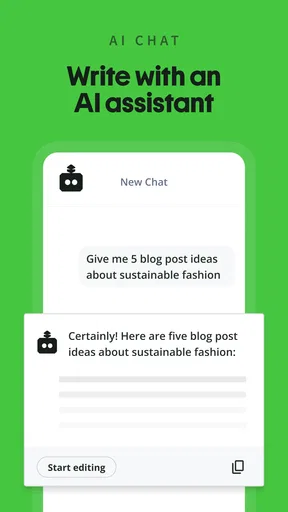
AI chat needs a slightly different mindset. A chat response can be useful for brainstorming a title, outlining possible points, or explaining a difficult phrase. It can also encourage me to accept a confident answer too quickly. When the request involves facts, instructions, or a high-stakes decision, I verify the answer elsewhere instead of treating conversational fluency as evidence.
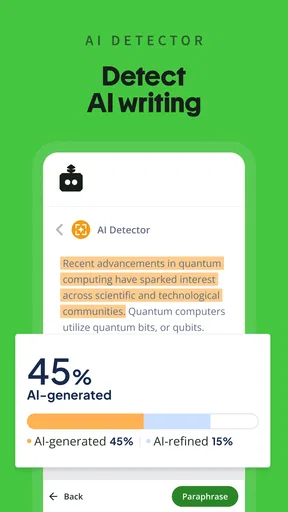
The AI detector deserves careful handling as well. A detector result should not be treated as a final judgment about who wrote something. Text can be edited, translated, or written in a style that produces an unexpected result. I would use the feature as a prompt to review my process and wording, not as a definitive test of authorship. That limitation is important for anyone considering the app for school or professional disputes.
Being careful with text and attention
Because the app combines several AI-based functions, I think about the text I submit before pressing a request button. I avoid casually pasting private conversations, confidential business material, personal identifiers, or sensitive documents into any online writing service unless I have a clear reason and understand the relevant terms. The app’s convenience should not encourage careless sharing.
A data-conscious workflow can still be practical. I remove names, account numbers, addresses, and unnecessary background details before asking for a rewrite. I submit only the passage that needs help rather than an entire conversation. For a workplace email, I can replace identifying details with neutral placeholders, improve the structure, and restore the correct information myself afterward. This also makes the response more focused.
There is a second kind of data to protect: my own ideas. If I am developing an original article, application, or business proposal, I prefer to ask for help with a small excerpt or a general writing problem rather than upload the complete concept. The assistant is more useful when it supports my thinking without becoming the place where all of my unfinished work lives.
The free price makes experimenting easy, but the app also includes in-app purchases ranging from $19.95 to $99.95 per item. I would begin with the free experience and decide whether the tools genuinely fit my routine before paying for anything. A subscription or upgrade only makes sense if I use the advanced capabilities often enough to justify it. Someone who needs an occasional grammar correction may find a conventional editor or built-in keyboard tools sufficient.
The developer is QuillBot, and the app’s focus is narrower than a full office suite. It is not where I would manage complex formatting, track document revisions, build citations, or collaborate on a long file with several people. Its value comes from language assistance. Compared with a standard grammar checker, it offers more ways to reshape and explore text. Compared with a full AI chatbot, it is more directly organized around writing tasks. Compared with a word processor, it is less suitable as the central home for a complete document.
Who benefits most, and who should look elsewhere
I would recommend QuillBot to people who write across different contexts and need quick language support: multilingual users, students learning to revise, professionals polishing routine communication, and anyone who often knows the idea but struggles with the wording. It is also a good fit for writers who want to compare alternatives rather than accept the first sentence that comes to mind.
I would be more cautious recommending it to someone who wants a fully offline editor, a comprehensive document-management system, or an automatic replacement for personal judgment. The connectivity-dependent functions are a poor match for work that must continue without a reliable network. A traditional notes app or word processor is better for drafting in those conditions, while a desktop editor is more comfortable for long documents.
People who dislike reviewing machine-generated wording may also find the app frustrating. Its suggestions can be grammatically cleaner but less personal. Sometimes the original sentence is slightly rough yet more direct and honest. I would rather keep that voice than accept a polished version that sounds like nobody in the conversation.
My final view after using it
Quillbot: AI Writing Assistant is a capable mobile productivity tool when I use it in short, deliberate stages. Its combination of paraphrasing, grammar checking, chat, translation, and detection makes it more versatile than a basic correction app, while its focused purpose makes it easier to reach for than a general-purpose AI conversation tool. The experience is best when the network is dependable and the text is not too long to review comfortably on a phone.
I would not describe it as a substitute for learning to write, checking facts, protecting sensitive material, or keeping a reliable offline draft. Those limits are not minor details; they shape whether the app feels helpful or intrusive in daily use. My preferred approach is to write the first version myself, save it separately, request targeted assistance, and make the final decision with the original meaning in view.
For casual editing, multilingual communication, and quick revisions, I can see why the app has attracted a large audience. It is free to start, available to Everyone, and maintained by a developer focused specifically on language tools. If you want a connected writing companion and are comfortable reviewing its suggestions, it is worth trying. If your priority is offline reliability, advanced document control, or complete privacy for sensitive drafts, I would choose a more traditional writing setup instead.
Verdict
Strengths of Quillbot: AI Writing Assistant
- Paraphrases text in several styles, including formal, simple, and creative.
- Grammar checker helps catch spelling, punctuation, and sentence errors.
- Summarizer condenses long passages into key points quickly.
- Synonym suggestions make it easier to adjust wording while editing.
- Works across multiple languages for basic rewriting and translation tasks.
Limitations of Quillbot: AI Writing Assistant
- Free access limits paraphrasing modes and the amount of text processed.
- AI suggestions can occasionally change the original meaning or tone.
- Some advanced features require a recurring Premium subscription.
- The app may need an internet connection for most AI-powered tools.
- Generated text still needs proofreading for accuracy and natural phrasing.
Similar Picks in This Category
View All
Google Calendar
Google LLC4.6

Google Drive
Google LLC4.3

Google Assistant
Google LLC3.9

Microsoft OneDrive
Microsoft Corporation4.6

Samsung Calendar
Samsung Electronics Co., Ltd.4.1

Microsoft OneNote: Save Notes
Microsoft Corporation4.6
Frequently Asked Questions
What is QuillBot: AI Writing Assistant used for?
QuillBot: AI Writing Assistant is designed to help users rewrite, improve, and refine written content. It can paraphrase text, correct grammar, summarize longer passages, and suggest alternative wording. During testing, it was particularly useful for polishing emails, essays, notes, social media posts, and professional documents. It is best viewed as a writing support tool rather than a complete replacement for personal editing or original thinking.
Is QuillBot: AI Writing Assistant free to download and use?
The app can generally be downloaded without an upfront purchase, but access depends on the current free and premium plan structure. Basic writing tools may be available at no cost, while advanced paraphrasing modes, larger usage limits, and additional features can require a subscription. Before downloading or starting a trial, users should check the latest pricing, renewal terms, and in-app purchase details shown on their device.
Can QuillBot rewrite text without changing its meaning?
QuillBot is built to preserve the general meaning of a passage while changing its wording, sentence structure, or tone. In my experience, the results can be helpful, but they are not always perfect. Technical phrases, context-dependent statements, idioms, and complicated sentences may be altered incorrectly. Users should always compare the rewritten version with the original and make manual corrections before publishing or submitting important work.
Does QuillBot include grammar checking, summarizing, and other writing tools?
Yes, QuillBot offers more than a basic paraphrasing feature. Depending on the version and plan available, users may find tools for grammar correction, summarization, translation, citation assistance, and vocabulary or style improvement. These features make the app practical for students, professionals, and everyday writers. However, some tools may have separate limits or premium restrictions, so the exact feature availability should be confirmed in the app.
Is QuillBot suitable for students and professional writing?
QuillBot can be useful for students and professionals who want to improve clarity, shorten lengthy material, or explore different ways to express an idea. It should not be used to submit automatically generated or rewritten work without reviewing it, especially when academic honesty, citations, privacy, or originality are important. The app works best as an editing and brainstorming assistant, with the user responsible for accuracy and final wording.
